Construction WIP Schedule Template for Excel
A useful construction work in progress (WIP) schedule brings your job information together so you can review contract values, estimated costs, progress, profitability, and billings in one place.
We built this Excel template to give contractors and their accounting teams a consistent starting point. It includes a blank schedule for your own jobs and a separate sample workbook showing how the schedule looks with job data.
Download the WIP schedule template (Excel)
What’s in the workbook
The workbook includes three tabs:
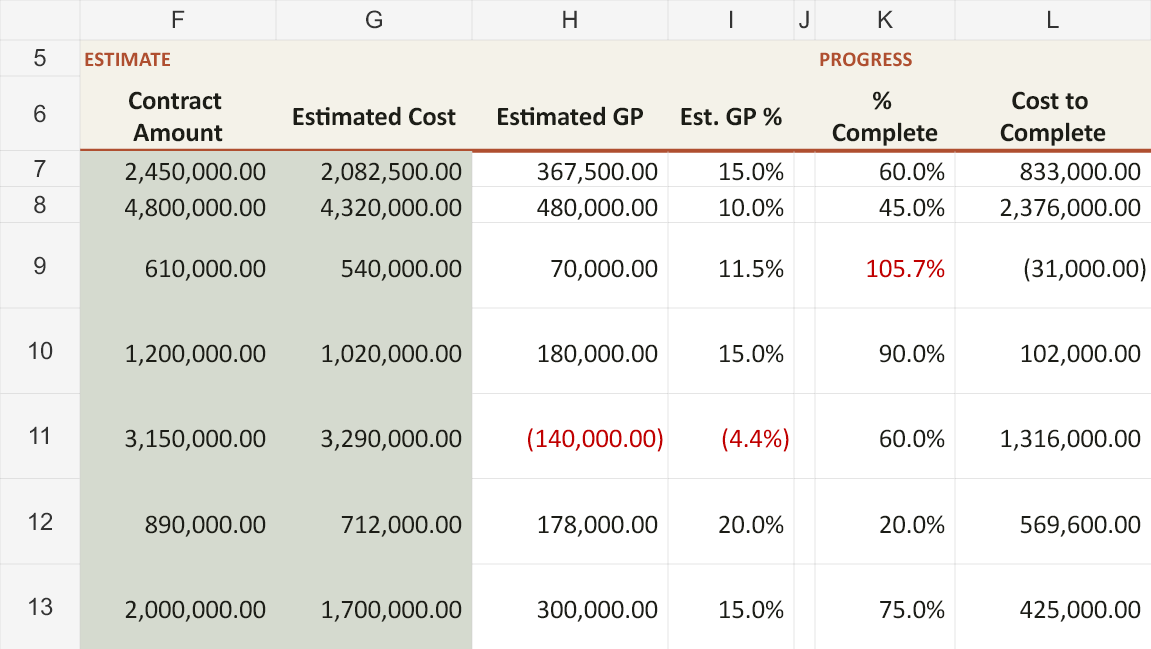
- WIP: The main schedule, with contract amounts, estimated costs, percentage complete, cost to complete, revenue, gross profit, and underbillings and overbillings.
- Contracts in Progress: A separate view of jobs marked in progress.
- Completed Contracts: A separate view of jobs marked complete.
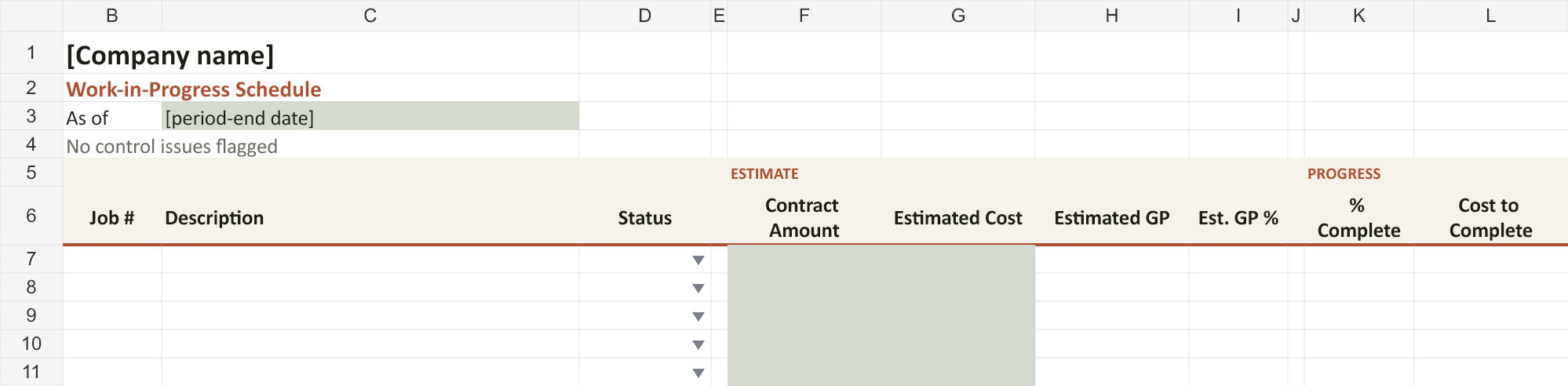
The main schedule separates inception-to-date, prior-year, and current-year amounts. It also includes a section for comparing the schedule’s revenue, costs, underbillings, and overbillings with the general ledger.

Built to make questions easier to spot
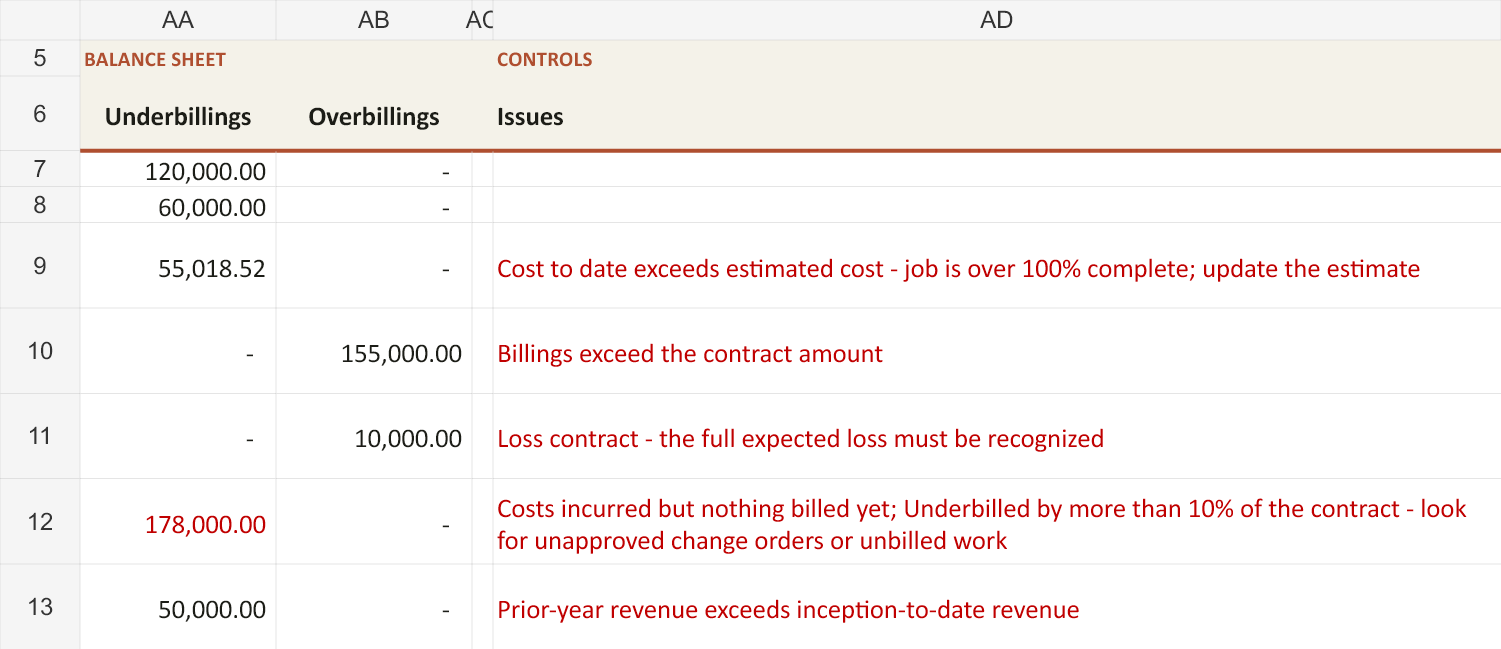
The workbook includes an Issues column that flags conditions worth reviewing, such as costs exceeding the estimated total cost, billings exceeding the contract amount, and jobs with costs but no billings.
Those flags give your team a place to start asking questions. Does the estimate need updating? Is a change order missing? Has completed work gone unbilled?
The value comes from resolving those questions and improving the information behind the schedule.
A sample workbook to explore
The sample contractor workbook includes both in-progress and completed jobs, along with examples that trigger review flags. You can use it to explore the layout, discuss the flagged conditions with your team, and compare the different schedules.
Download the sample contractor workbook (Excel)
A starting point for your monthly process
The template provides the structure and calculations. Your team supplies the job information, current estimates, and review that make the report useful.
If you need help preparing your WIP or building a consistent monthly review process, explore Levvigo’s WIP Preparation Services.